For theatres & live events
Fill every seat with confidence.
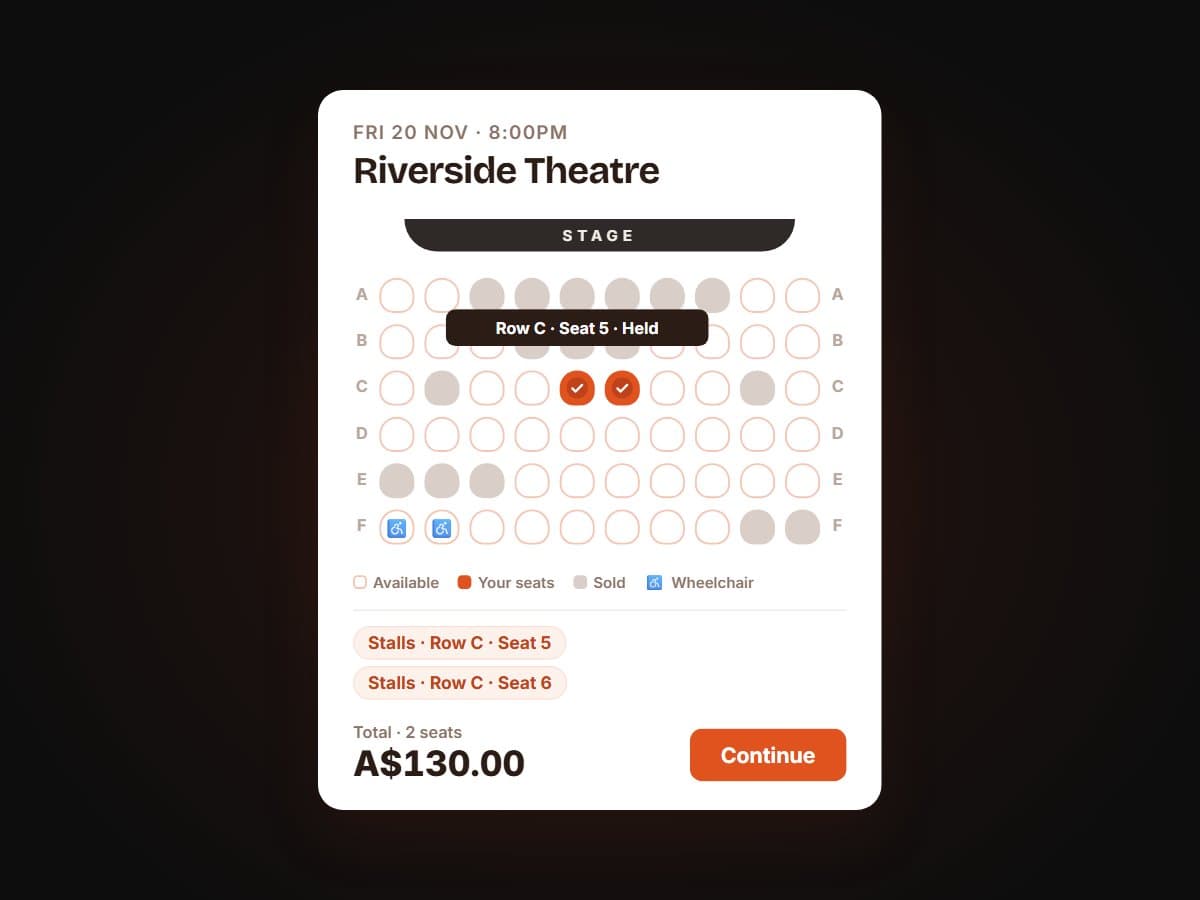
Reserved seating is a real seat-map builder, not a spreadsheet bolted onto a ticket page. Draw your venue's stalls, balcony and boxes, then let buyers pick their exact seat and watch the room fill up live as tickets sell.
Included free on Core. No add-on needed.
What it is
A seat map your buyers can actually click.
Visual seat-map builder
Lay out rows, sections, aisles and price tiers for your venue (stalls, balcony, boxes, or a festival's reserved sections) in a drag-and-drop editor built for organisers, not spreadsheets.
Live occupancy at checkout
Buyers see which seats are taken, held or available in real time as they choose, and pick the exact seat they want instead of trusting a general-admission queue.
Included free on Core
Not a paid add-on. Not a locked feature.
Reserved seating comes free on the Core plan, so every organiser has it, with or without add-ons. Plenty of ticketing platforms charge extra per event, or reserve seat maps for their most expensive tier. Ticketlime doesn't: if you sell tickets on Ticketlime, the seat-map builder and live checkout occupancy are already switched on.
- Core plan: included
- Grow add-on: included
- Pro add-on: included
Built for assigned seats
Where reserved seating pays off
Anywhere the seat itself is part of the value, general admission leaves money and clarity on the table.
Theatres
Stalls, circle, balcony and boxes with per-tier pricing, so a front-row seat and a back-row seat are priced and sold differently.
Festivals with reserved sections
Keep general admission open while selling assigned seating for VIP platforms, reserved viewing areas or seated sections within a larger festival footprint.
Seated conferences & galas
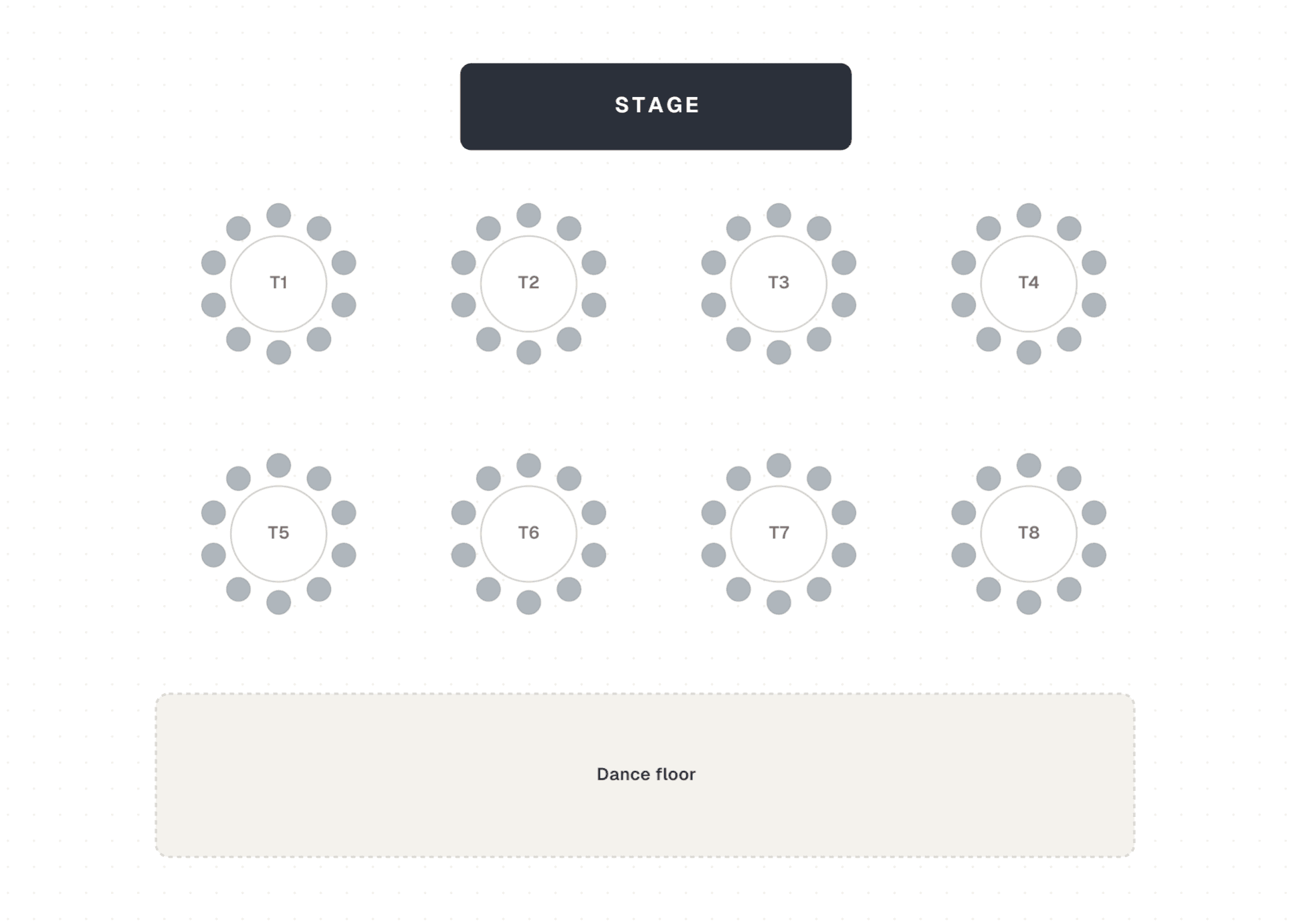
Table and row assignments for galas, award nights and seated conference sessions, with occupancy visible to buyers and organisers alike.
See it in action
The builder, from an organiser's dashboard.
Frequently asked questions
Is reserved seating a paid add-on?
No. Reserved seating is included free on the Core plan, so you have it with or without the Grow or Pro add-on. There is no extra per-event or per-ticket fee to turn it on.
Can buyers see which seats are still available?
Yes. Occupancy updates live at checkout, so buyers see taken, held and available seats in real time as they choose, not just a generic sold-out message.
Does reserved seating work for festivals, not just theatres?
Yes. You can run reserved seating alongside general admission, for example assigned seats for a VIP section or reserved viewing platform within a larger festival.
Can I set different prices per section or row?
Yes. The seat-map builder supports per-tier pricing, so stalls, circle, balcony, boxes or table sections can each carry their own price.
Ready to sell reserved seats?
Create a free Ticketlime account and build your first seat map in minutes. It's included free on Core, no add-on required.